TL;DR
Twenty years ago, documents lived on hard drives, traveled as attachments, and forked into "final_v2_REAL.doc". Google Docs fixed that with one structural move: the document became a URL, and everyone worked on the single copy that lived there. AI-built apps are exactly where documents were before that move: files on laptops, panes in private chats, forked copies in inboxes. The fix is the same move, one format up.
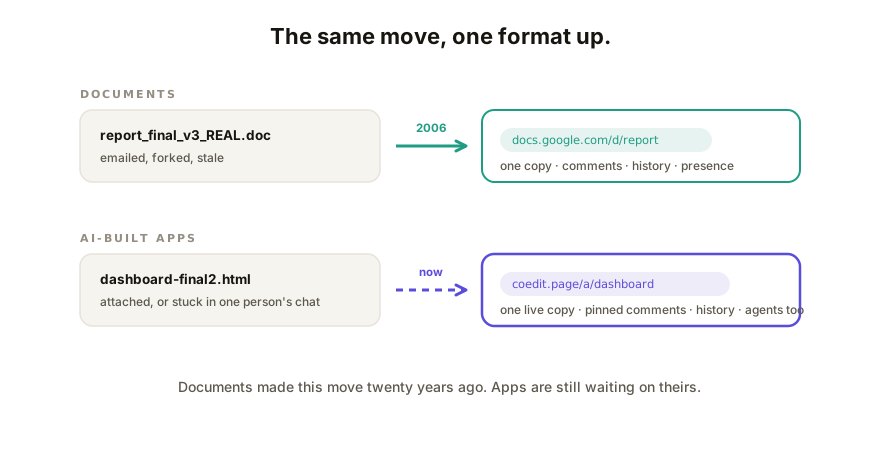
What Google Docs actually changed
It's easy to remember Google Docs as "Word in a browser," but the browser wasn't the point. The structural change was where the document lived:
- One copy, at a URL. Nobody "sends the document"; they send its address. Forking stopped being the default.
- Presence. Two people in the file at once became normal, then expected. The awkward "are you in it? I'll wait" dance died.
- Anchored feedback. Comments attach to the sentence they're about, not to "page 4, third paragraph" in an email.
- History as a property of the file. Every version, every author, one timeline, rollback included.
None of these were document features. They were location features: consequences of the work living at an address instead of in copies. That's why the pattern generalizes: it worked for spreadsheets, slides, and design files (Figma is this exact move applied to design) even though the formats have nothing in common.
Apps are in the attachment era
Now run the checklist against the app your AI built last week (an artifact, in the current vocabulary):
| Property | Documents (post-Docs) | AI-built apps (today) |
|---|---|---|
| Lives at a URL | Yes | A file in Downloads, or a pane in one person's chat |
| One shared copy | Yes | Forks on every send |
| Anchored comments | Yes | "The third box down, no, the other one" |
| Anyone can edit, safely | Yes | Edits route through whoever can prompt |
| Built-in history | Yes | "final", "final2", "final-REAL.html" |
Five for five on documents, roughly zero for five on apps. And the volume mismatch makes it urgent: AI produces working apps at document-like volume now, so the attachment-era pain isn't an edge case; it's the daily default for anyone who builds with AI.
Why the fix isn't literally Google Docs
Docs can't render an app, and pasting HTML into one gets you a code listing, not a calculator. The move transfers; the machinery doesn't:
- The shared surface has to render live HTML, interactivity intact, safely.
- Comments have to anchor to page elements that survive edits, not character offsets.
- Concurrent editing has to merge structured markup, which is CRDT territory, not operational-transform-on-text.
- History has to include agents, because with AI apps, half the editors aren't human: your CLI pushes a revision, a teammate tweaks copy, and both belong on one timeline.
Also structural: it won't come from the generators themselves. Each AI vendor's sharing improves inside its walls, but teams use several tools at once, and the shared surface has to be neutral across all of them, the way Docs didn't care which program authored the text you pasted in.
How Coedit fits
Coedit is the Docs move applied to AI-built apps, built as its own layer: paste the HTML from any tool and the app becomes a URL. One copy, opened by anyone with no account; comments pinned to elements; no-code editing for the people who own the words; CRDT-based concurrent editing (47/47 concurrency tests, 9/9 round-trip suites); one version history across humans and agents. It doesn't generate apps, on purpose, for the same reason Docs didn't write your prose.
FAQ
Q: Is there a Google Docs equivalent for web apps? A: The category is emerging: collaboration layers that host an app at a shared URL with commenting, editing, and history. Coedit is built as exactly this for AI-built apps; the defining test is one live copy at an address, not a file passed around.
Q: Why can't I collaborate on an AI app in Google Docs itself? A: Docs edits text, and an app is running code. Paste HTML into a document and you get the markup as prose. A collaborative surface for apps has to render the page live and anchor comments and edits to its elements.
Q: Won't Claude or ChatGPT just become this? A: Each will keep improving sharing for its own output. But teams mix tools, and the shared copy has to be neutral ground across all of them, which is a different product with different incentives than any single generator.